South of the March Demo v0.1.4 Released
July 25, 2026
Version 0.1.4 of the South of the March Demo is now live on Itch.io and Steam!
Update Details
Next Fest is well over, and the whole thing went pretty well! Better than I expected, ultimately. I'm still planning to do a write-up of my experiences there, but I wanted to get this update put together first, and it's proven to be quite an undertaking, the self-voicing overhaul in particular.
As far as new features, there's quite a bit in this one:
UI Changes Big & Small
I made a ton of small UI changes, mostly to improve usability. You'll see some new mouse hovers on buttons, new clickable areas, and lots of tiny adjustments you probably won't even notice (but will maybe just feel). The big UI change that I expect anybody would notice, and will hopefully inform behavior a bit, is that dialogue buttons (talk to [x]) and event buttons (look at [x]) will now display partially faded after you view them.
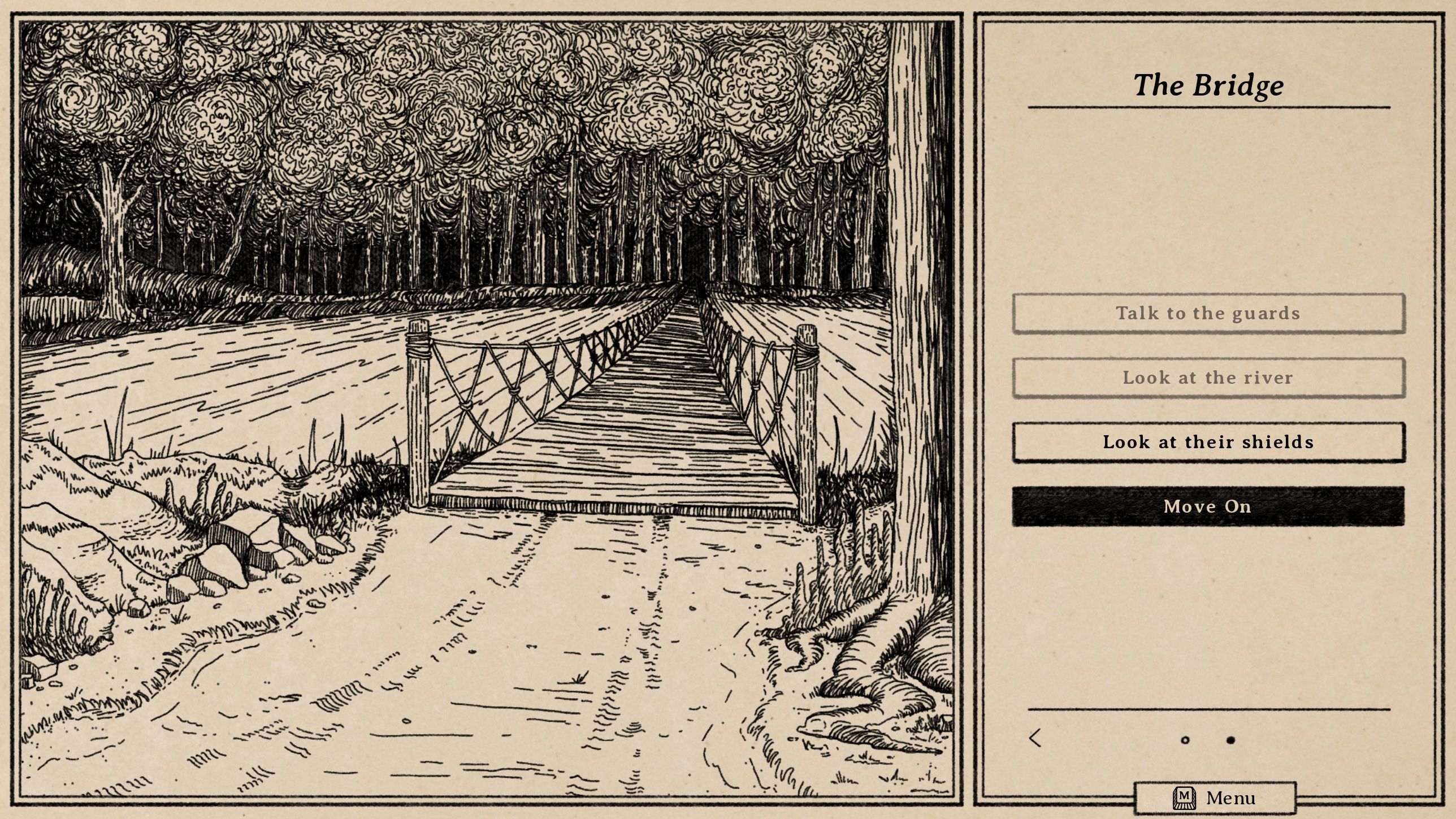
I always know where I've been
For the event buttons, it's mostly just a small reminder that might save you a button press, but for the dialogue buttons, it's a bigger deal. It won't fade out until all new dialogue is exhausted, meaning it effectively tells you "this person has nothing more to say." I suspect some players never even realized there was additional dialogue if you revisit the buttons (and there's a lot, almost everybody has more to say), so this should make it much harder to miss.
Also, while it doesn't really come up in the demo, the full version of the game includes some points in the story where the dialogue on offer will change. This new UI will let that come across clearly (a previously faded button will now be lit up again because the person has something new to say to you), whereas I imagine tons of players would end up missing it otherwise.
New Combat Labels
These are both features I had considered adding earlier but never got around to, but after both were independently requested by demo players, it seemed like I should make it a priority. First I added a letter differentiator attached to any repeated enemy (Hungry Wolf A, Hungry Wolf B, etc), so you can tell where each specific enemy appears in the turn order without having to select them. It only shows up when needed, so it won't appear on single enemies or groups where they're all different.
Then I added countdown timers to all status effects so that you can tell how long they'll last.
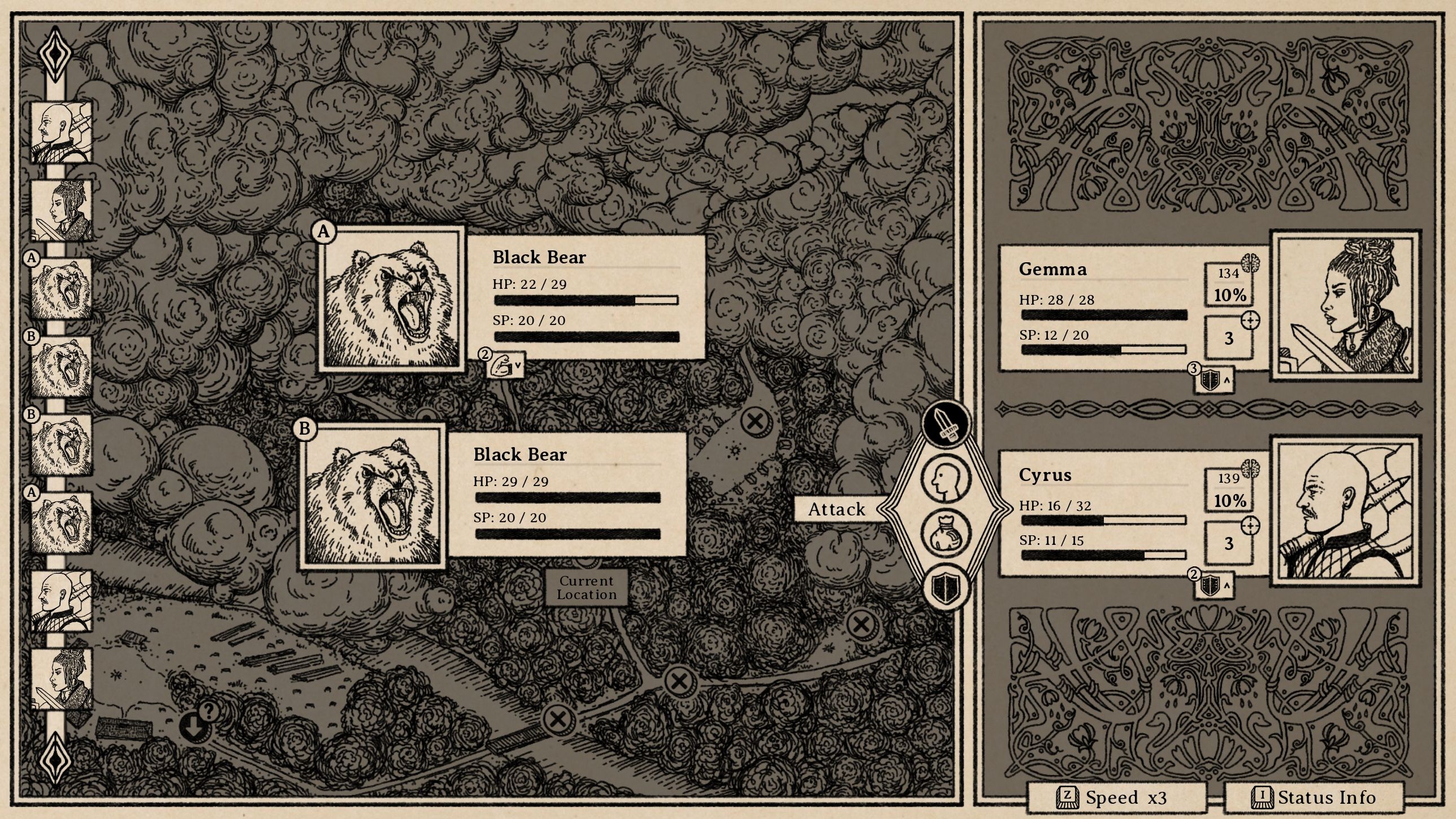
Who's who and what's when
Self-Voicing Overhaul
The biggest feature by far, however, is the self-voicing overhaul. I added a tremendous amount here and it works fairly differently than it did in the first pass. The self-voicing control scheme now adds left and right toggles (using the shift keys or L2/R2 gamepad buttons) on top of the normal controls. Those two buttons will toggle through available text areas on the screen, which the regular up/down navigation can then move through. There should be less memorization of controls that way, and battle in particular should be a lot more intuitive to move through.
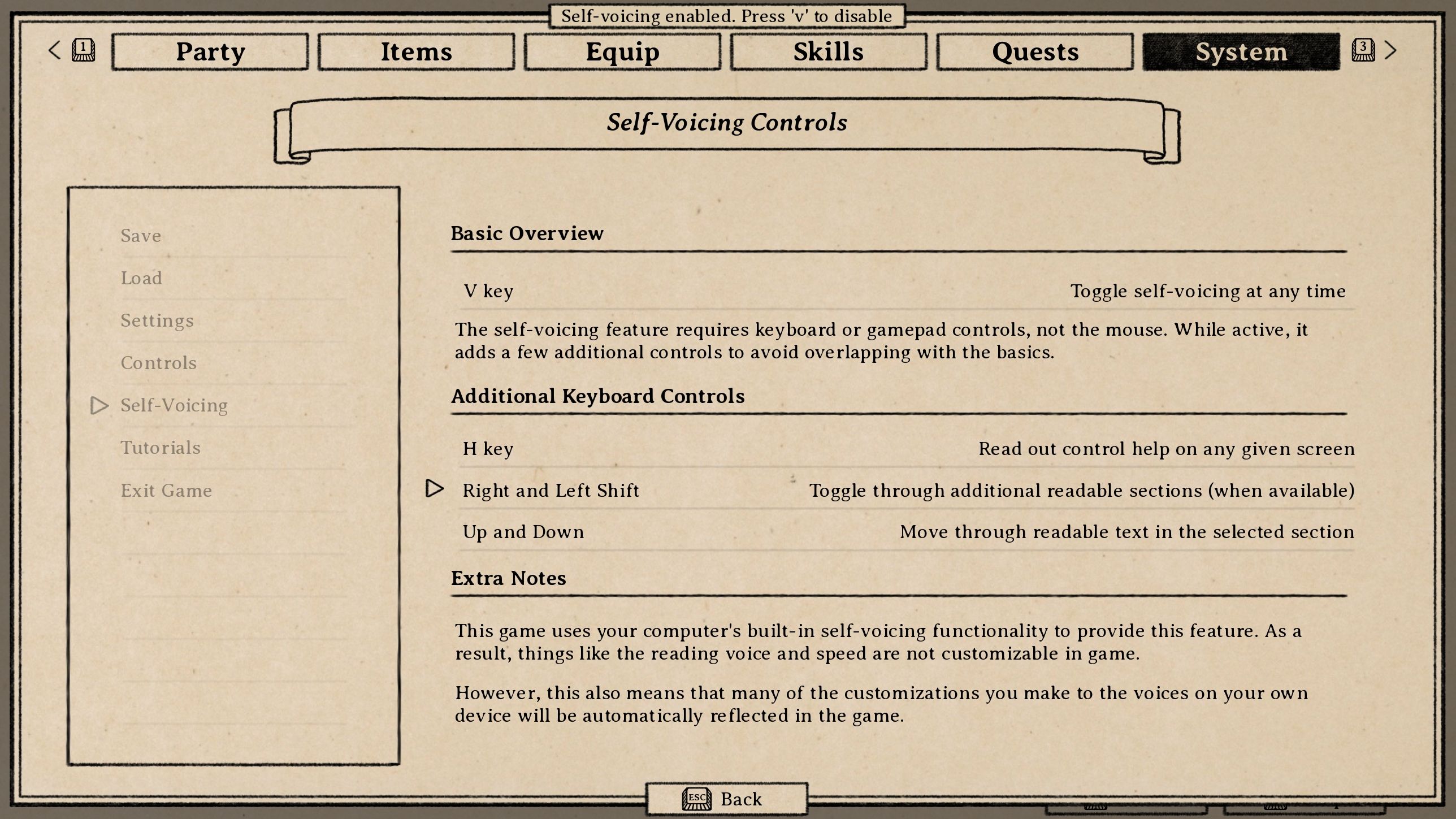
Toggle through everything
The game also now starts with a first-time setup that announces the self-voicing feature (as well as the control overviews that previously appeared when starting a new game), so hopefully blind players can set it up without needing any assistance.
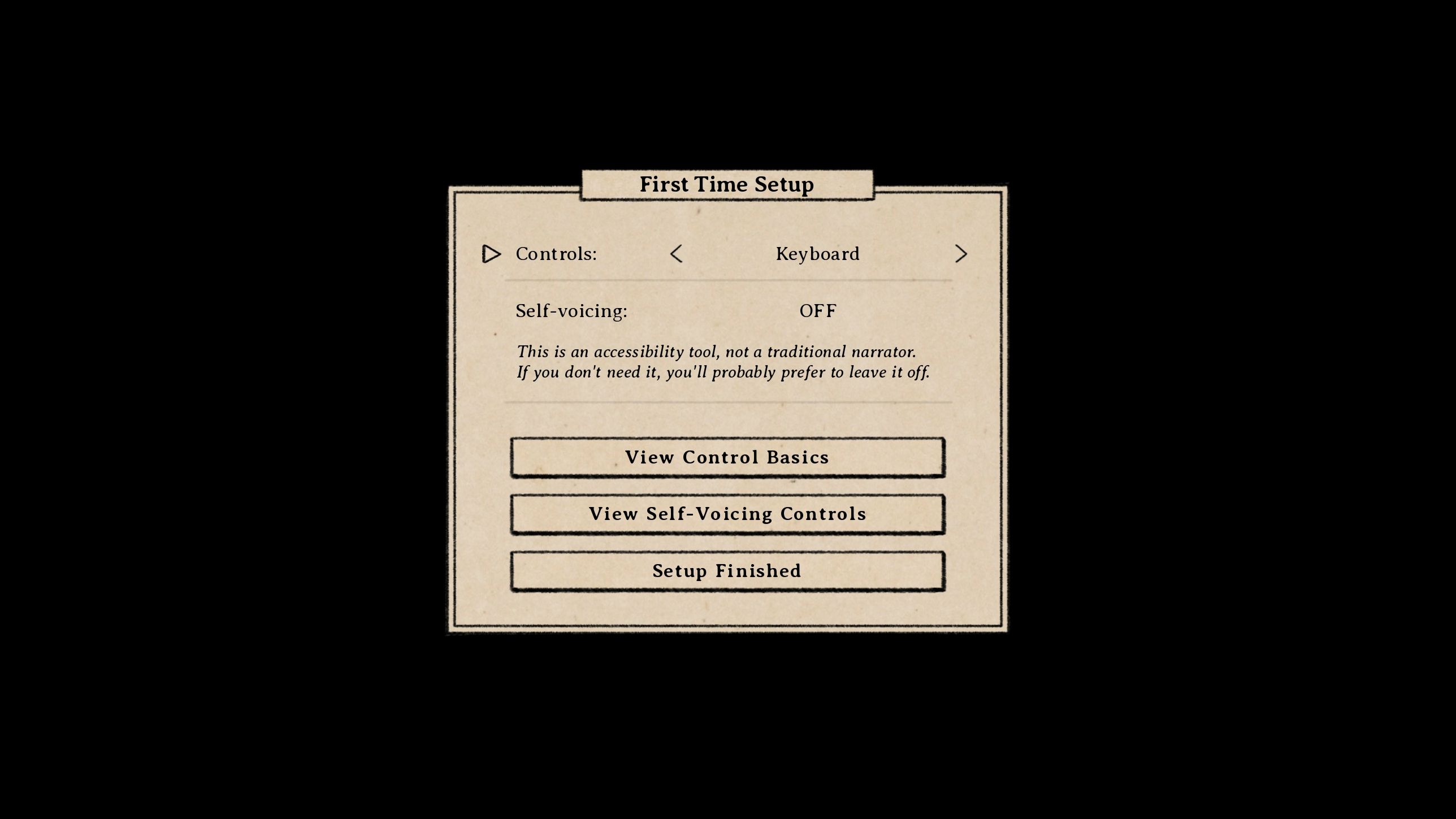
Setup when running the game for the first time
I also expanded the text size setting to apply to text everywhere. That change, in combination with making individual lines of text navigable via self-voicing, touches pretty much every single part of the game, so please let me know if you see anything broken. None of these changes are all that big, but they are everywhere.
There's plenty more in here, some requested and some not, like an "exit to desktop" option, ways to revisit the tutorials, and all sorts of bug fixes. Here's the full list!
Full Patch Notes (v0.1.4)
- Full self-voicing overhaul to use global shift and arrow key navigation
- Add UI visual cues for self-voicing-only sections
- Improve self-voicing readout on settings page
- Add self-voicing control instruction at the end of each text page
- Change self-voicing UI marker to match other UI styles
- Change battle speed gamepad control to avoid conflicting with self-voicing controls
- Prevent self-voicing from reading formatting tags
- Fade buttons when dialogue is exhausted or event has been viewed
- Add "turns remaining" countdown timers to status effects in battle
- Add letter differentiators to repeat enemies (and their turn orders) in battle
- Expand Big/Bigger text size settings to apply almost everywhere
- Add first time setup before loading the main menu for the first time
- Move some options from new game setup to first time setup
- Tie difficulty to individual saves, rather than game-wide
- Add more intuitive unmarked spots to act as "back" controls when clicked
- Add hover states to more mouse-clickable buttons
- Show quest and skill art even without quest/skill selected
- Increase mouse-clickable area of UI buttons
- Change party screen select opacity so player images aren't see-through
- Add "exit to desktop" option to system menu and start menu
- Add battle and shop tutorials to system menu
- Fix bug where smelling salts can be used without selecting player
- Fix bug when clicking blacksmith tabs with confirmation modal open
- Fix mismatched asset showing on scrollbar mouse hover
- Fix typo
Thank you for reading! If you want to support the development of any current or upcoming games, please consider tipping on Ko-fi or subscribing on Patreon.